Javascript is disabled on your browser.
To view this site, you must enable JavaScript or upgrade to a JavaScript-capable browser.
Login
0
Your cart is empty
Labels
Labels (by printer model)
LabelWriter 550 Labels
LabelWriter 550 Turbo Labels
LabelWriter 4XL/5XL Labels
LabelWriter 450 Labels
LabelWriter 450 Turbo Labels
LabelWriter 450 Twin Turbo Labels
LabelWriter 4XL/5XL Labels
LabelWriter 450 DUO Labels
LabelWriter 400 Series Labels
LabelWriter 300 Series Labels
Dymo LabelWriter Labels
Address Labels
Return Address Labels
Shipping Labels
Durable Labels
Filing Labels
Jewelry & Pricing Labels
Library Labels
Multipurpose Labels
Name Badges
Removable Labels
* see all categories *
Dymo Rhino Labels
Rhino Flexible Nylon Labels
Rhino Heat Shrink Tubes
Rhino Permanent Poly Labels
Rhino Vinyl Labels
Rhino Self-Laminating Labels
Dymo XTL labels
All-purpose Vinyl Labels
Flexible Cable Wraps
Heat-Shrink Tubes
Laminated Wire/Cable Wraps
Permanent Flat Surface Labels
Sheet Labels
Dymo D1 Labels
1/4" (6mm) D1 Labels
3/8" (9mm) D1 Labels
1/2" (12mm) D1 Labels
3/4" (19mm) D1 Labels
1" (24mm) D1 Labels
Seiko SLP Labels
Address Labels
Shipping Labels
* see all categories *
Dymo Embosser Labels
LabelWriter
Dymo LabelWriter Printers
Dymo LabelWriter 550
Dymo LabelWriter 550 Turbo
Dymo LabelWriter 5XL
Dymo LabelWriter 450
Dymo LabelWriter 450 Turbo
Dymo LabelWriter 450 Twin Turbo
Dymo LabelWriter 4XL
Dymo LabelWriter 450 DUO
Dymo LabelWriter WiFi
Dymo LabelWriter Labels
LW Address Labels
LW Large Address Labels
LW Return Address Labels
LW Shipping Labels
LW Appointment Cards
LW Durable Labels
LW File Folder Labels
LW 4XL/5XL-only Labels
LW Jewelry & Price Tag Labels
LW Laboratory Labels
LW Library Labels
LW Media Labels
LW Multipurpose Labels
LW Name Badges
LW Removable Labels
LW Veterinary Labels
* see all categories *
Dymo LabelWriter Accessories
LabelWriter Cleaning Cards
LabelWriter Print Server
LW Label Spool (non 4XL/5XL)
LW Label Spool (4XL/5XL)
Tips, Tech, Software
LabelWriter Blog Articles
Rhino
Dymo Rhino Label Makers
Rhino 4200
Rhino 4200 Kit
Rhino 5200
Rhino 5200 Kit
Rhino 6000+ Kit
Rhino M1011 Embosser
Dymo Rhino Labels
Rhino Flexible Nylon Labels
Rhino Heat Shrink Tubes
Rhino Permanent Polyester Labels
Rhino Vinyl Labels
Rhino Self-Laminating Labels
Dymo Rhino Accessories
Rhino AC Adapter
Rhino 4200/5200 Battery
Rhino Tips, Tech, Software
Rhino Blog Articles
XTL
Dymo XTL Label Makers
Dymo XTL 300 Kit
Dymo XTL 500 Kit
Dymo XTL Labels
XTL Vinyl Labels
XTL Heat Shrink Tubes
XTL Flexible Cable Wraps
XTL Laminated Wire / Cable Wraps
XTL Permanent Flat Surface Labels
XTL Sheet Labels
Dymo XTL Accessories
XTL 300 AC Adapter
XTL 300 Replacement Battery
XTL 300 Cutter Mechanism
XTL 500 AC Adapter
XTL 500 Replacement Battery
XTL 500 Cutter Mechanism
XTL Tips, Tech, Software
XTL Blog Articles
LabelManager
Dymo LabelManager Label Makers
LabelManager PnP
LabelManager 160
LabelManager 210D
LabelManager 210D Kit
LabelManager 280
LabelManager 360D
Dymo D1 Labels
Dymo D1 Labels by Size
Dymo D1 Labels by Printer
Dymo D1 Labels by Color
Dymo D1 Labels by Specialty
All Dymo D1 Labels
LabelManager Accessories
AC Adapter for LM160, 220P, 210D, 500TS
AC Adapter for 260P, 320D, 420P
LabelManager Tips, Tech, Software
LabelManager Blog Articles
D1 Label Blog Articles
LetraTag
Dymo LetraTag Accessories
LetraTag AA Batteries
LetraTag AC Adapter
Dymo LetraTag Label Makers
LetraTag 200B
LetraTag Plus LT-100T
LetraTag Plus LT-100H
Dymo LetraTag Labels
LetraTag Plastic Labels
LetraTag Paper Labels
LetraTag Iron-On Labels
LetraTag Metallic Labels
LetraTag Multi-pack Labels
Go
Home
Rhino
Dymo Rhino Tips, Tech Support & Software
Back
Rhino
Dymo Rhino Label Printers
Rhino Labels (by category)
Rhino Labels (by Printer)
Rhino Accessories / Spares
Narrow By
52 Products
false
Dymo Rhino Tips, Tech Support & Software
Latest Tech Support Tips and Software downloads for Dymo Rhino / RhinoPro label printers
52 Products
Sort & Filter
12 per page
24 per page
48 per page
Relevance
Price, low to high
Price, high to low
Narrow By
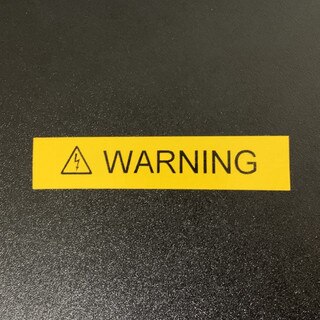
Tip : Create a Warning / Hazard Label on the Rhino 4200
SKU:
blog0115
Add to Cart
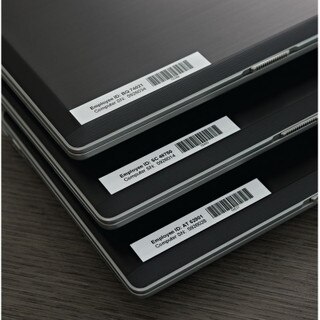
Tip : Label Assets with a Dymo Rhino Label Printer
SKU:
blog0196
Add to Cart
Shelf life of Dymo Rhino Heat Shrink Tube
SKU:
blog0401
Add to Cart
Tech : Why can't I change the font size on my Dymo RhinoPro?
SKU:
blog0267
Add to Cart
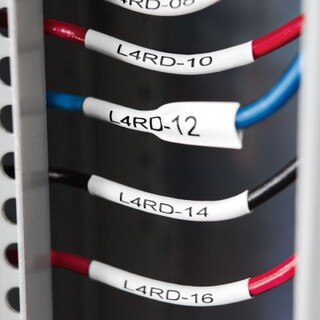
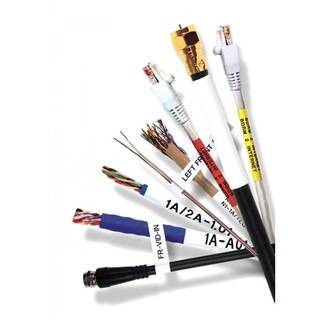
Tip : Label cables with Rhino Heat Shrink Tubes
SKU:
blog0248
Add to Cart
Tech : Why can't I cut the tape after printing a label on my Dymo Rhino label printer?
SKU:
blog0268
Add to Cart
Tech : Why do I get poor / faded print from my Dymo Rhino Pro?
SKU:
blog0269
Add to Cart
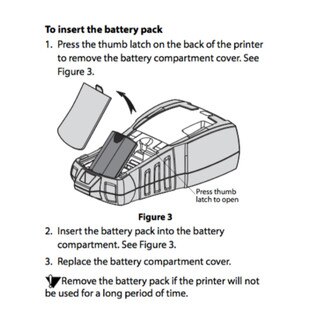
How to Install the Rhino 5200 Rechargeable Li-Ion Battery
SKU:
blog0185
Add to Cart
Troubleshooting the Dymo Rhino 5200
SKU:
blog0289
Add to Cart
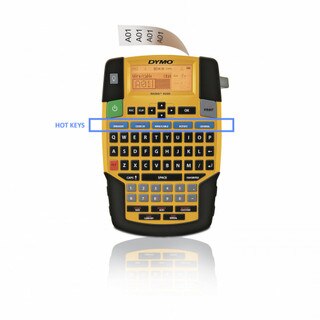
Dymo Rhino 4200 Hot Keys : a true time saver
SKU:
blog0286
Add to Cart
How to use the Rhino 5200 Label Memory
SKU:
blog0283
Add to Cart
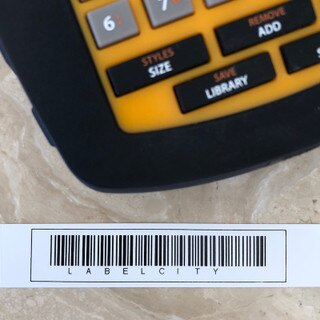
Tip : Printing Barcodes on the Rhino 4200
SKU:
blog0250
Add to Cart
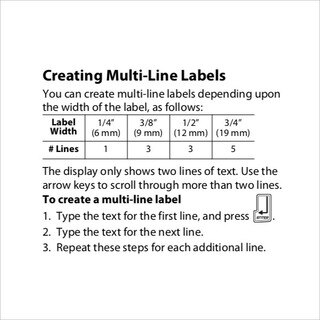
Rhino 5200 Multi-Line Labels : How many lines ?
SKU:
blog0276
Add to Cart
Printing Wire / Cable Wrap Labels on the Rhino 4200
SKU:
blog0272
Add to Cart
Tip : 5S Labeling Solutions with the Rhino 6000
SKU:
blog0102
Add to Cart
Tip : Choosing the right Rhino label for your surface
SKU:
blog0109
Add to Cart
Tip : Creating Flag Labels on the Rhino 6000 Label Printer
SKU:
blog0116
Add to Cart
Tip : Creating Rhino 4200 Industrial Labels
SKU:
blog0117
Add to Cart
Tech : Datasheet : Dymo Rhino Cable & Wire guide
SKU:
blog0118
Add to Cart
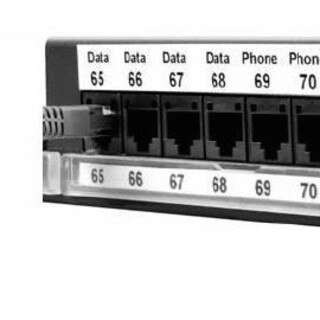
Tip : Dymo Labels in a Data Center
SKU:
blog0139
Add to Cart
Tech : Dymo Rhino User Guides
SKU:
blog0161
Add to Cart
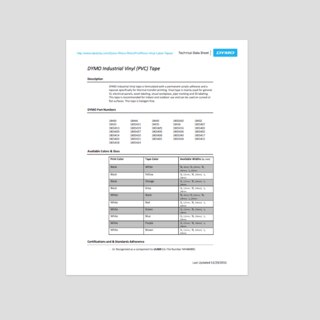
Tech : Dymo Rhino Vinyl Label Tape Technical Data Sheet
SKU:
blog0162
Add to Cart
Tip : Formatting Labels on the Rhino 6000
SKU:
blog0175
Add to Cart
Tip : How do I print Serial Patch Panel Labels with the Rhino PRO 5000?
SKU:
blog0178
Add to Cart
1
2
3