Tip : Ever used Dymo's free Address Fixer tool to ensure your addresses are correct?
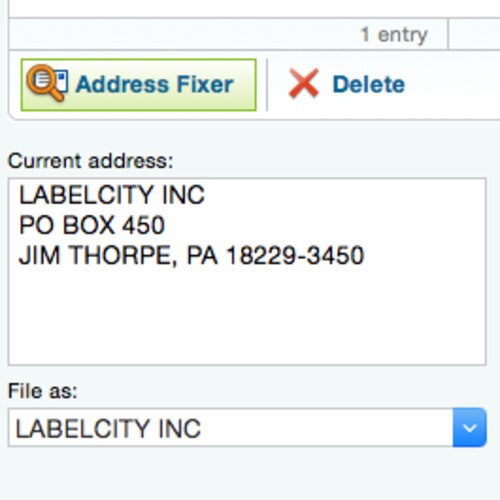
When you buy a Dymo LabelWriter you get FREE labelling sofwate called DLS (DYMO Label Software). In the DLS application you can save all your contacts making it easy to print an address or shipping label on-the-fly. And to make addressing even easier, within DLS there a utility that 'fixes' addresses, making sure the format and zip code is correct
Using DYMO Address Fixer, you can check the recipients address against a database of US addresses, correct any mistakes, and automatically add the complete nine-digit ZIP+4 barcode.
To check an address simply:
- Select one of your contacts in Dymo Label Software (the address appears in the bottom left corner of the DLS screen)
- Click the "Address Fixer" button (bottom left corner of the DLS screen)
Dymo's free Address Fixer utility works best when creating Address labels or Shipping Labels using a Dymo LabelWriter